Free Word Counter Online — Count Words, Characters & Sentences Instantly
If you have ever stared at a blank document wondering whether you have written enough — or too much — you are not alone. Word counts matter more than most people realise. Whether you are submitting a college essay, publishing a blog post, or writing a product description, the length of your content plays a real role in how it performs. That is exactly why we built this Word Counter tool.
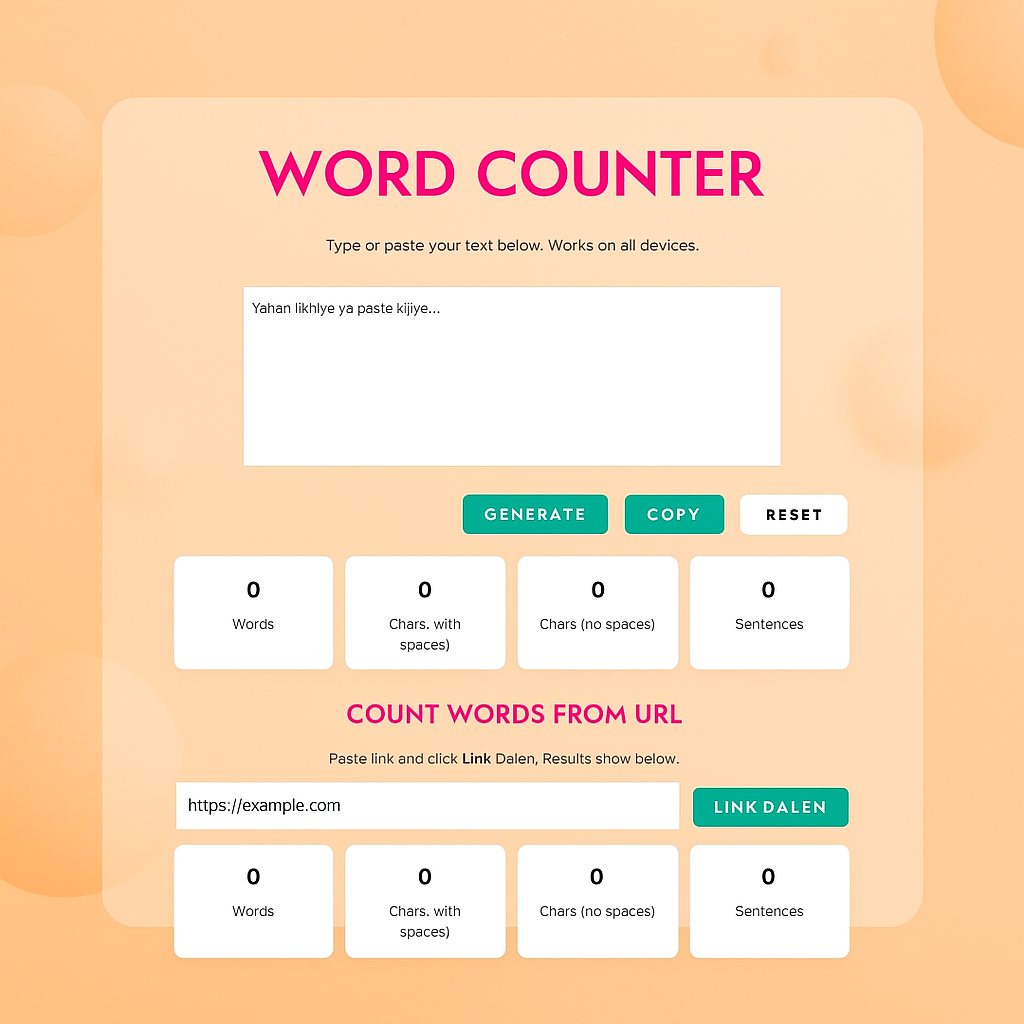
Our free Word Counter at jisona.co.in gives you an instant count of words, characters, and sentences — right in your browser, without any login or installation. Just paste your text, and the numbers appear in real time.
🔒 Your text stays private. This tool works entirely in your browser. Nothing you type is sent to any server. What you write stays with you.
Click the button below to open the Word Counter tool and start counting instantly
🔢 Open Word Counter ToolHow to Use the Word Counter — Step by Step
Using this tool takes about five seconds. Here is exactly what to do:
What Does This Tool Actually Count?
Most word counters just count words. Ours goes a bit further. Here is what each number on the screen means:
Words
Every group of letters separated by a space is counted as one word. So “good morning” is two words, and “well-being” is counted as one. This is the standard used by Microsoft Word, Google Docs, and most publishing platforms.
Characters (With Spaces)
This counts every single character — every letter, number, punctuation mark, and space. This is the number Twitter, Instagram, and many other platforms use when they set character limits.
Characters (Without Spaces)
This counts only visible characters, leaving out spaces. Some platforms and academic tools use this number. It is also useful when comparing text density across different pieces of writing.
Sentences
The tool identifies sentences by looking for ending punctuation — full stops, exclamation marks, and question marks. For standard writing it is highly accurate. Knowing your sentence count helps you see if your sentences are too long.
Bonus Feature: Count Words from Any Website URL
Here is something most word counter tools do not offer. Our tool includes a URL Word Counter. Paste a link to any webpage, click the button, and the tool fetches the page, strips out all the code and menus, and counts only the readable text.
This is genuinely useful if you are an SEO professional wanting to see how many words a competitor’s article has, or for quickly checking the word count of your own published pages without copying anything manually.
Who Uses a Word Counter — and Why
This tool gets used by a surprisingly wide range of people. Here are the most common use cases:
Students
Check if your essay meets the 500-word minimum. Track your progress as you write.
Bloggers & Writers
Keep articles within editorial guidelines. Many publications require specific word ranges.
Social Media Managers
Craft posts that stay within Twitter’s 280 characters or LinkedIn’s ideal range.
SEO Professionals
Analyse competitor content length. Write meta descriptions within the 155-character sweet spot.
Translators
Estimate project size by word count. Most translation services price by the word.
Professionals
Keep business emails tight. Emails under 150 words get significantly better response rates.
Why This Word Counter Is Worth Bookmarking
There are dozens of word counter tools online. What makes this one different comes down to a few practical things that actually affect how you use it day to day.
First, it works in real time — no need to click any button after pasting text. Second, it is genuinely mobile-friendly. A lot of tools break on smaller screens. This one stays stable and readable on a phone without zooming or scrolling sideways. Third, the URL-based counter is built right in — a feature most tools simply do not have. And finally, your text never leaves your device, ensuring complete privacy.
Frequently Asked Questions
Yes. There are no subscription plans, no sign-up forms, and no hidden limits. Open the page and start counting — that is all there is to it.
Absolutely. The tool is fully responsive and works on all Android and iOS devices. The layout stays clean on small screens without any horizontal scrolling.
No. All counting happens in your browser using JavaScript. Your text is never sent to any server. Once you close the tab, nothing is stored.
Yes, for all languages that use spaces between words — including Hindi in Roman script, Spanish, French, German, and many more.
Small differences can happen with hyphenated words or special characters. For most standard text the count matches Word exactly. Try pasting plain text for the most accurate result.
Paste a full webpage URL and click the button. The tool fetches the page, removes all HTML and navigation, and counts only the visible text content — ideal for SEO research.
For general articles, 1,000 to 1,500 words works well. For competitive topics, 2,000 to 2,500 words gives better ranking chances. Use the URL counter to benchmark top-ranking pages for your keyword.
Final Thoughts
A word counter sounds simple. And it is — that is the point. The best tools do one thing well, work on every device, and get out of your way. Whether you are a student finishing an essay, a writer hitting a deadline, or an SEO analyst researching competitor pages, this tool gives you what you need in under five seconds.
Bookmark this page — and use the button below any time you need a quick word or character count.
Ready to count your words? The tool is free, instant, and works on all devices
🔢 Try Word Counter Now — It’s Free